



Author: dmzx
Special thanks to: martin
Extension Description:
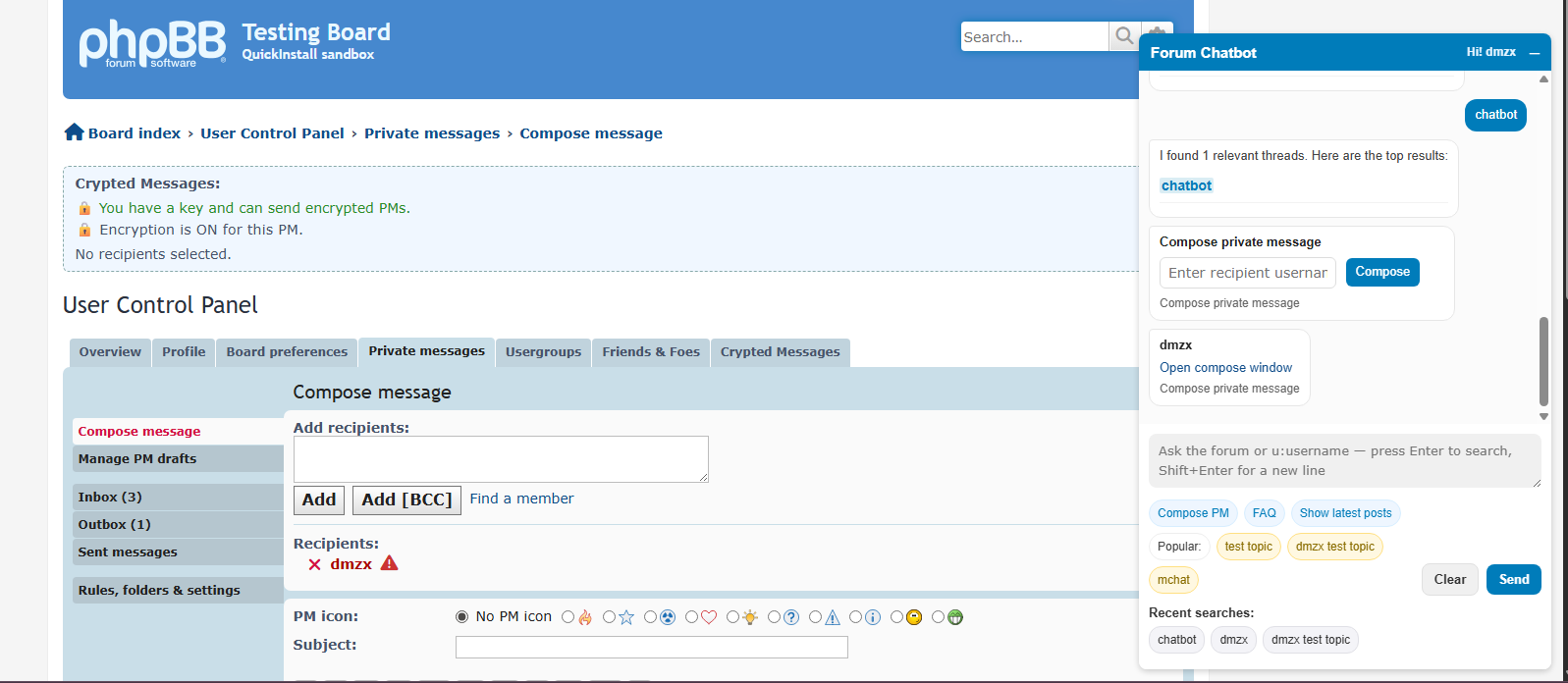
A lightweight forum assistant integrated into phpBB that helps users search the board, look up members, and access common forum actions — right from a small chat widget.
What it does (features)
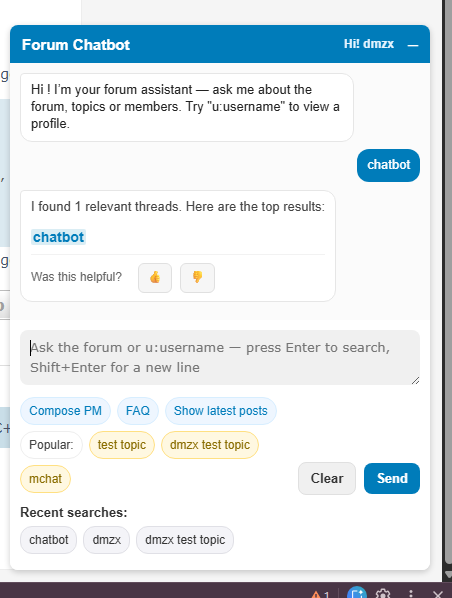
- Full-text conversational search across topics and posts; returns top threads with short snippets and links.
- Quick member lookup using user:username or u:username — shows profile summary and recent posts.
- “Compose PM” helper: lookup a user and open UCP compose window with a single click.
- “Show latest posts” shortcut that opens the board’s newest posts search.
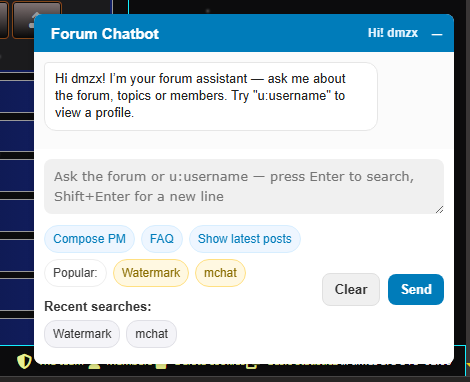
- Popular suggestions and recent-search chips in the widget to speed repeated queries.
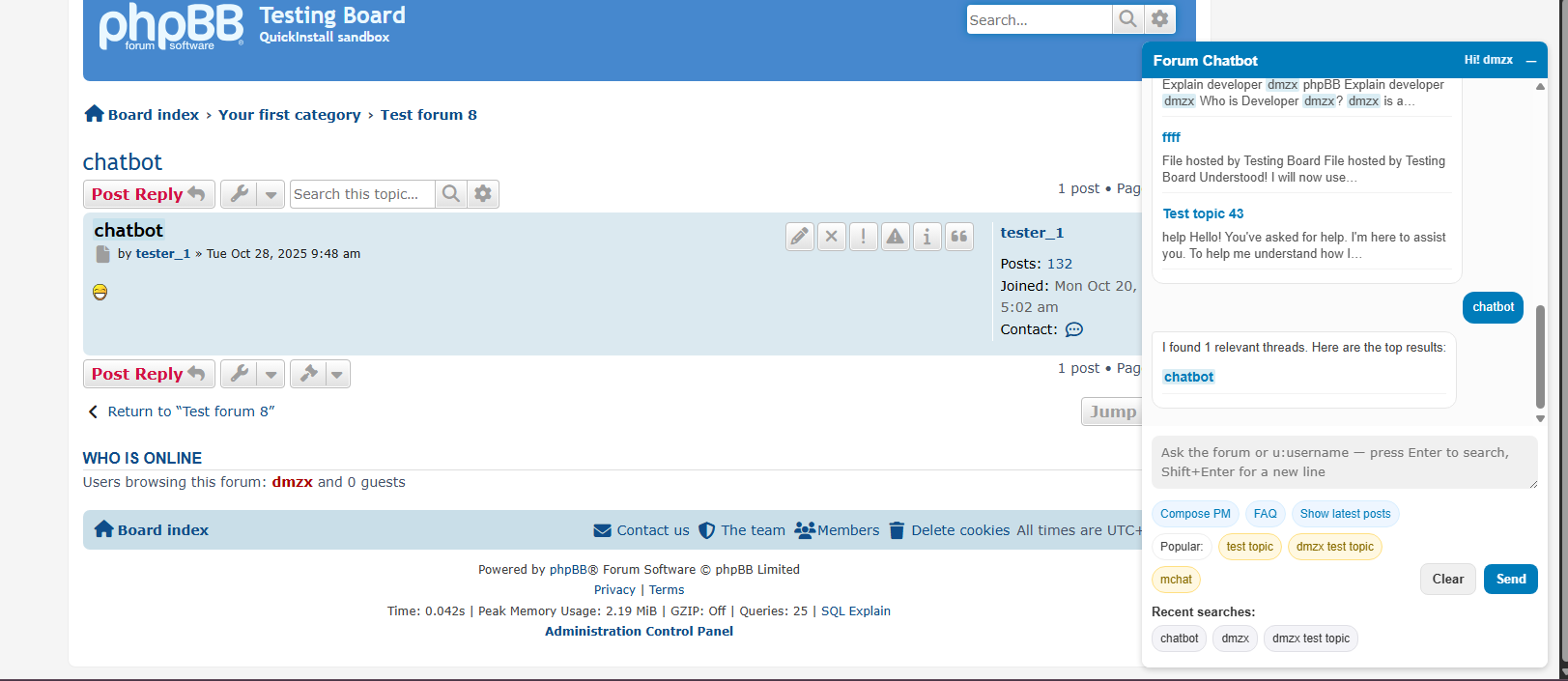
- Inline highlighting of search terms in returned thread links (uses dmzx_q query param).
- Feedback controls on results (👍 / 👎) sent to the server for review.
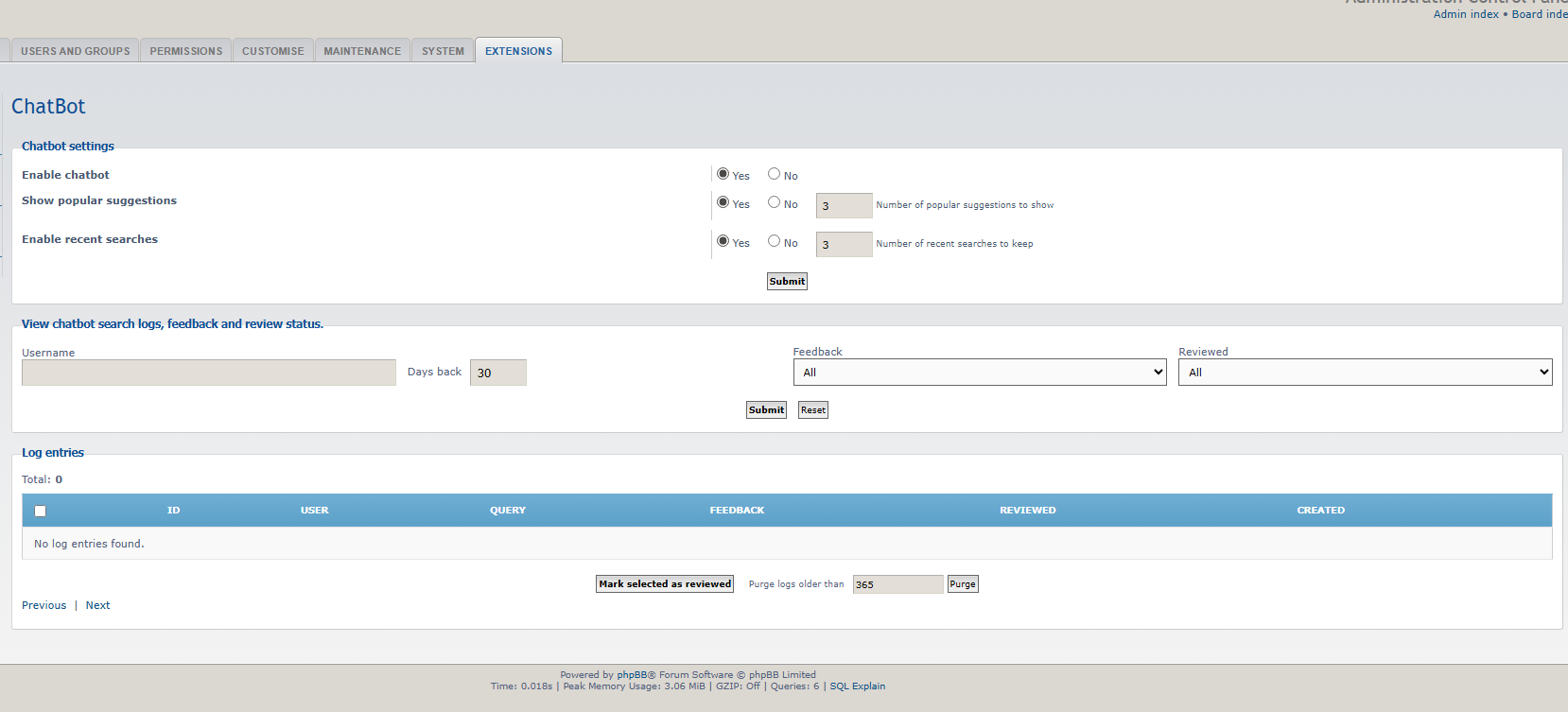
- ACP page to view/search chatbot logs, mark entries reviewed and purge old logs.
- Config options in ACP: enable/disable the entire chatbot, toggle popular suggestions, set suggestion/history limits.
- Admin logging for settings changes, purges, and review actions.
Basic usage is very natural — type what you want and press Enter.
- Search the forum:
Example: Chatbot Topic
→ returns matching threads with snippets and links.
- Lookup a user:
Use user:username or u:username (case-insensitive).
Example: user:janedoe or u:janedoe
→ returns profile card, joined date, post count and recent posts with links.
- Compose PM helper:
Click the “Compose PM” suggestion, enter recipient username, and the widget gives a link to the UCP compose screen.
- FAQ — opens the board FAQ.
Show latest posts — opens newest posts search (search.php?search_id=newposts).
Click any suggestion chip to run that query.
- ucp, user control panel — suggests link to your UCP.
pm, private message, compose message — suggests compose PM link.
avatar, change avatar — link to UCP avatar settings.
password, account, profile — link to profile/account settings.
These are matched with simple regex-like patterns, so you can type natural phrases containing those words.
- Use Shift+Enter to add a newline in the input; Enter sends the query.
- Recent searches are saved locally (browser localStorage) and capped by the ACP-configured limit.
Popular suggestions are fetched from server logs and limited by configuration.
- When you open a returned thread link, the extension can add ?dmzx_q=your+query (or the dmzx_q param is included) so the page highlights matched terms automatically.
If a thread link includes a post anchor like #p123, the highlighting will focus inside that post.
- Global enable/disable for the chatbot (turns the widget off entirely).
Enable/disable popular suggestions.
Set limits:
Number of popular suggestions to show (default 3).
Number of recent searches to keep (default 3).
ACP log viewer: inspect searches, feedback, review state, mark reviewed and purge logs.


Screenshots:

Extension Download:
- Download-link
- ChatBot v1.0.1
- Download the latest release.
- Unzip the downloaded release, and change the name of the folder to `chatbot`.
- In the `ext` directory of your phpBB board, create a new directory named `dmzx` (if it does not already exist).
- Copy the `chatbot` folder to `/ext/dmzx/` if done correctly, you'll have the main extension class at
(your forum root)/ext/dmzx/chatbot/composer.json - Navigate in the ACP to `Customise -> Manage extensions`
- Look for `ChatBot` under the Disabled Extensions list, and click its `Enable` link.