3.2 & 3.3 Extensions Database 3.2 / 3.3Image Upload

<span class="qte-attr qte_32_33-qte">3.2.x & 3.3.x</span>
User avatar

Mohammed AlSarsawi
Users
Users
Posts: 24
Joined: 23 Feb 2017, 04:36
    Windows 10 Chrome

Re: Image Upload

Post by Mohammed AlSarsawi »

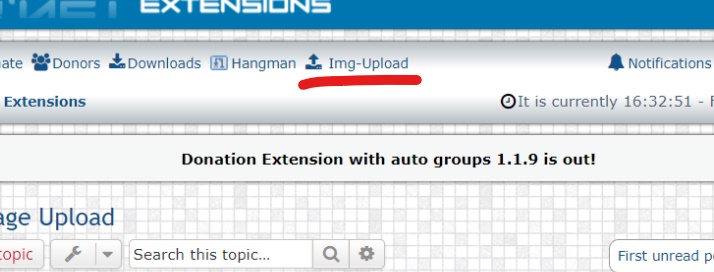
Image


how can i remove this from the index page .. i don't have space
i want it in posting page only


User avatar

Funny
New user
New user
Posts: 126
Joined: 06 Mar 2017, 16:39
    Windows 10 Chrome

Re: Image Upload

Post by Funny »

Hi
Try this solution
Go to the root directory of your FTP
Open these folders ext / dmzx / imageupload / styles / prosilver / template / event
Edit the overall_header_navigation_append.html

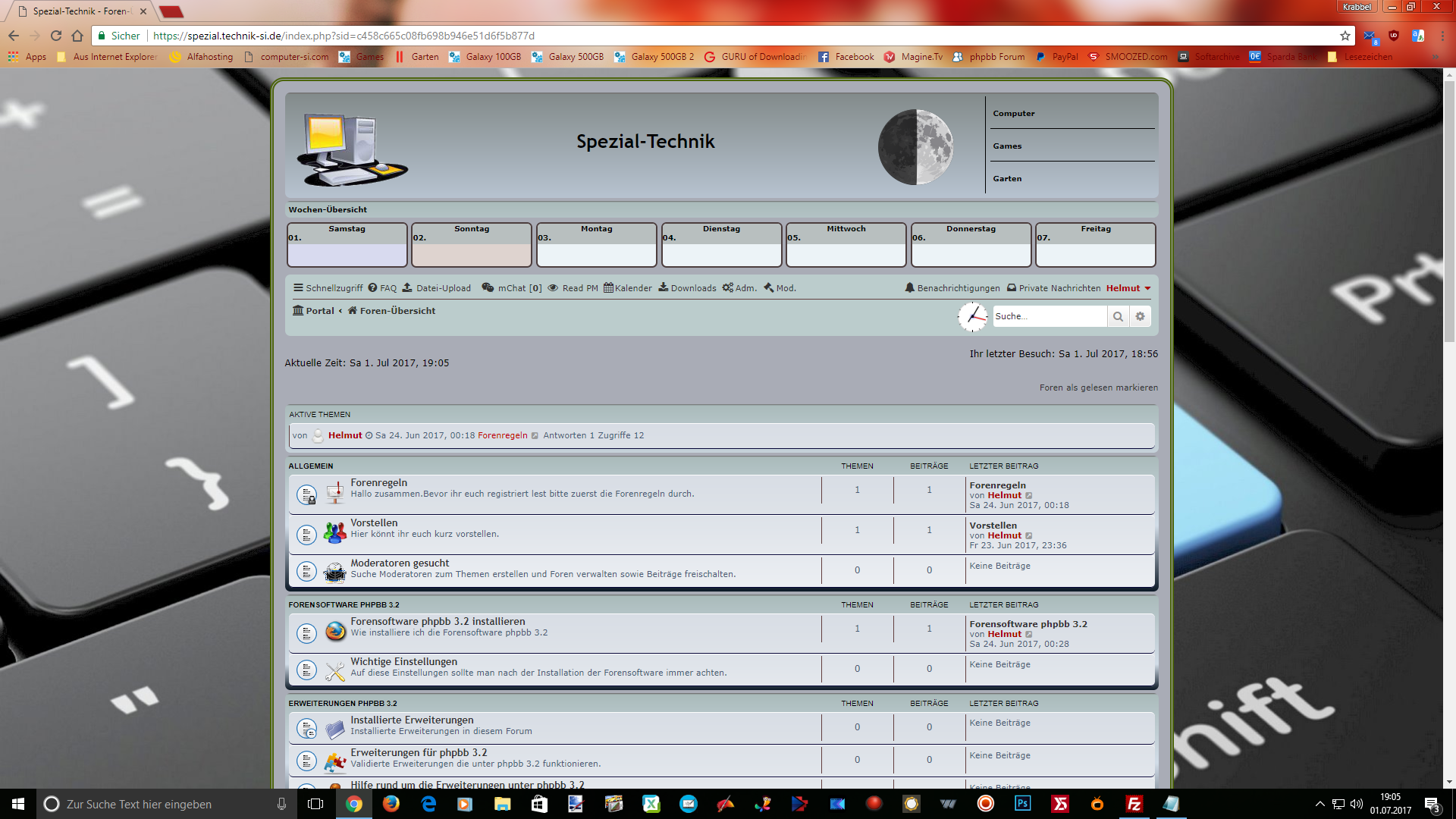
Before the change Look

Delete the complete contents of the Orignal file

Code: Select all

<!-- IF IMAGEUPLOAD_USE_UPLOAD -->
<li <!-- IF not PHPBB_IS_32 -->class="small-icon icon-upload"<!-- ENDIF --> data-last-responsive="true">
	<a href="{U_IMAGEUPLOAD_UPLOAD}" target="_blank" title="{L_IMAGEUPLOAD_UPLOAD}" role="menuitem">
		<!-- IF PHPBB_IS_32 --><i class="icon fa fa-upload" aria-hidden="true"></i><!-- ENDIF -->
		<span>{L_IMAGEUPLOAD_UPLOAD}</span>
	</a>
</li>
<!-- ENDIF -->
And replace the complete content with this code

Code: Select all

<!-- IF IMAGEUPLOAD_USE_UPLOAD -->
<li <!-- IF not PHPBB_IS_32 -->class="small-icon icon-upload"<!-- ENDIF --> data-last-responsive="true">
	<a href="{U_IMAGEUPLOAD_UPLOAD}" target="_blank" title="{L_IMAGEUPLOAD_UPLOAD}" role="menuitem">
	</a>
</li>
<!-- ENDIF -->

After the change Look

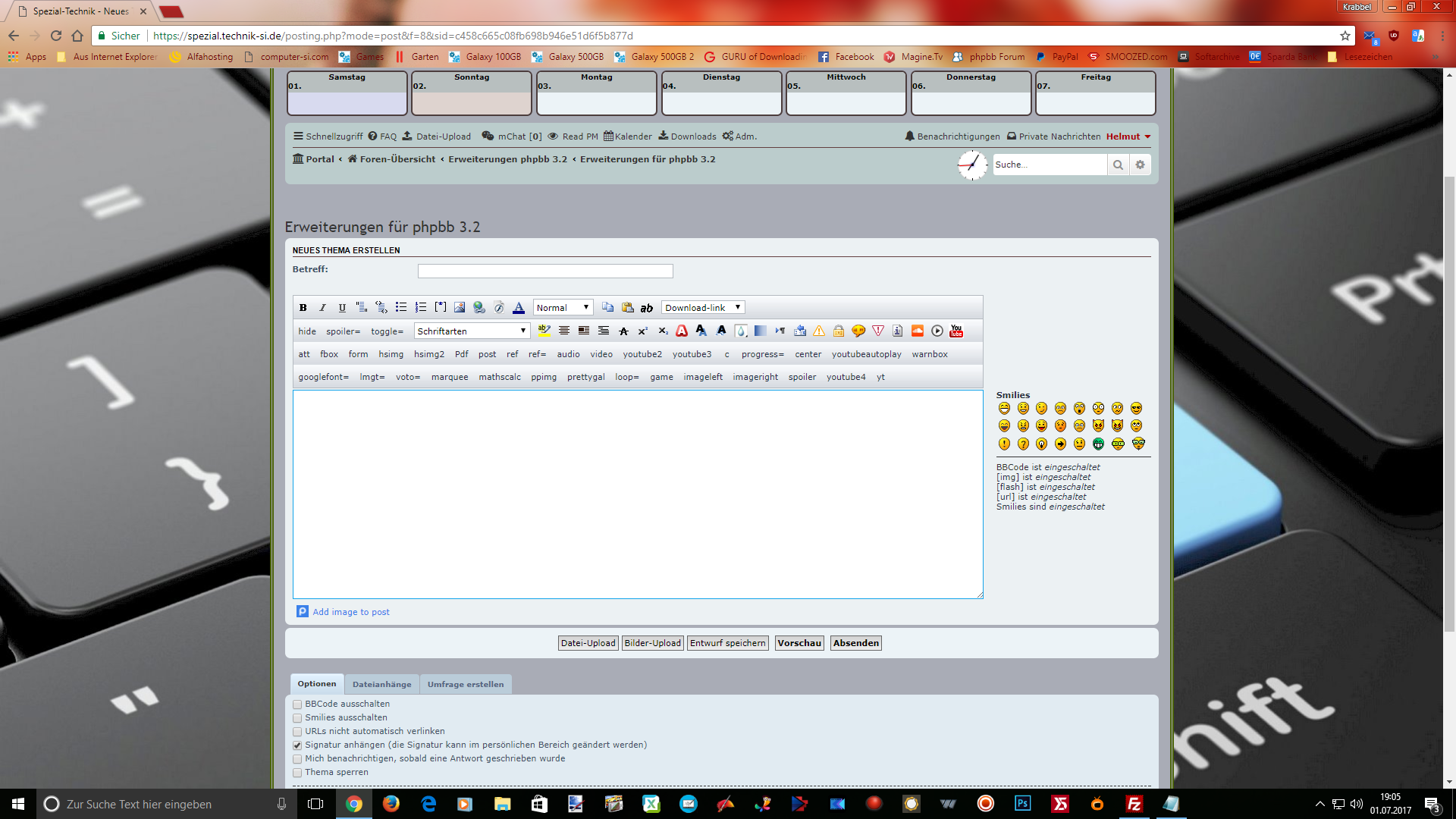
posting forumLook

And clear the cache and the icon on the index page is gone.
In the post directory you can use the upload

mg Funny :eyes2:
my Forum Page
Last edited by Funny on 01 Jul 2017, 19:53, edited 5 times in total.

User avatar

Galixte de EzCom
Users
Users
Posts: 39
Joined: 04 Mar 2015, 17:26
    Windows 10 Opera

Re: Image Upload

Post by Galixte de EzCom »

Juste replace all the content of this file with an empty content.
Communau EzCom
Image « Traductions d’extensions & styles pour phpBB 3.1.x & 3.2.x ».

User avatar

Funny
New user
New user
Posts: 126
Joined: 06 Mar 2017, 16:39
    Windows 10 Chrome

Re: Image Upload

Post by Funny »

Delete the contents of the original file and paste the 2nd code
Clear cache and away is the icon from the index page

User avatar

Puchahawa
Users
Users
Posts: 193
Joined: 20 Jun 2015, 17:58
    Windows 7 Chrome

Re: Image Upload

Post by Puchahawa »

That link is put there by an html file in the extensions style/prosilver/template/event folder called overall_header_navigation_append.html.

If you want to remove that link just remove the file. Be sure to clear the boards cache after or you will get an error.

User avatar

Funny
New user
New user
Posts: 126
Joined: 06 Mar 2017, 16:39
    Windows 10 Chrome

Re: Image Upload

Post by Funny »

Not the link remove but the content of the header_navigation_append.html with the 2.Code to replace

mg Funny :eyes2:

User avatar

Mohammed AlSarsawi
Users
Users
Posts: 24
Joined: 23 Feb 2017, 04:36
    Windows 10 Chrome

Re: Image Upload

Post by Mohammed AlSarsawi »

Thank you all for replay

overall_header_navigation_append.html
I try to modify it .. or empty it .. or delete the file
I still get error after logout and login again

my style (subway) use ajax box to login
and this box stuck and i can't login

without logout everything is OK

User avatar

Puchahawa
Users
Users
Posts: 193
Joined: 20 Jun 2015, 17:58
    Windows 7 Chrome

Re: Image Upload

Post by Puchahawa »

Did you purge the boards cache after edit/delete of file?

User avatar

Mohammed AlSarsawi
Users
Users
Posts: 24
Joined: 23 Feb 2017, 04:36
    Windows 10 Chrome

Re: Image Upload

Post by Mohammed AlSarsawi »

Yes of course

User avatar

Funny
New user
New user
Posts: 126
Joined: 06 Mar 2017, 16:39
    Windows 10 Chrome

Re: Image Upload

Post by Funny »

Hi
The extension is intended for the style prosilver
(On a prosilver basis)
Property itself a login box the extension works with me perfectly

mg Funny :eyes2:

User avatar

martin
Admin
Admin
Posts: 5109
Joined: 06 Apr 2014, 16:12
    Linux Chrome

Re: Image Upload

Post by martin »

3 ways to do this

1 delete code and purge the cache folder on ftp and acp (take yor pic)
2 Rename the file to another event so it only shows on posting page (the best way)
3 delete the file.

No matter what way you go your be doing it on ftp so after you make the change delete the production folder thats in the cache folder and also your browsers cache as the html file is cached there too.

Fail to clear the browser cache will show you an error.
Image

User avatar

martin
Admin
Admin
Posts: 5109
Joined: 06 Apr 2014, 16:12
    Android Chrome

Re: Image Upload

Post by martin »

Here is the best way to do it your never run out of room :rolling:
2017-07-01_182526.png
And on mobiles it looks like this
Screenshot_20170701-182917.png
You do not have the required permissions to view the files attached to this post! Maybe your post count is too low.

User avatar

Mohammed AlSarsawi
Users
Users
Posts: 24
Joined: 23 Feb 2017, 04:36
    Windows 10 Chrome

Re: Image Upload

Post by Mohammed AlSarsawi »

martin wrote: 01 Jul 2017, 18:26 3 ways to do this

1 delete code and purge the cache folder on ftp and acp (take yor pic)
2 Rename the file to another event so it only shows on posting page (the best way)
3 delete the file.

No matter what way you go your be doing it on ftp so after you make the change delete the production folder thats in the cache folder and also your browsers cache as the html file is cached there too.

Fail to clear the browser cache will show you an error.
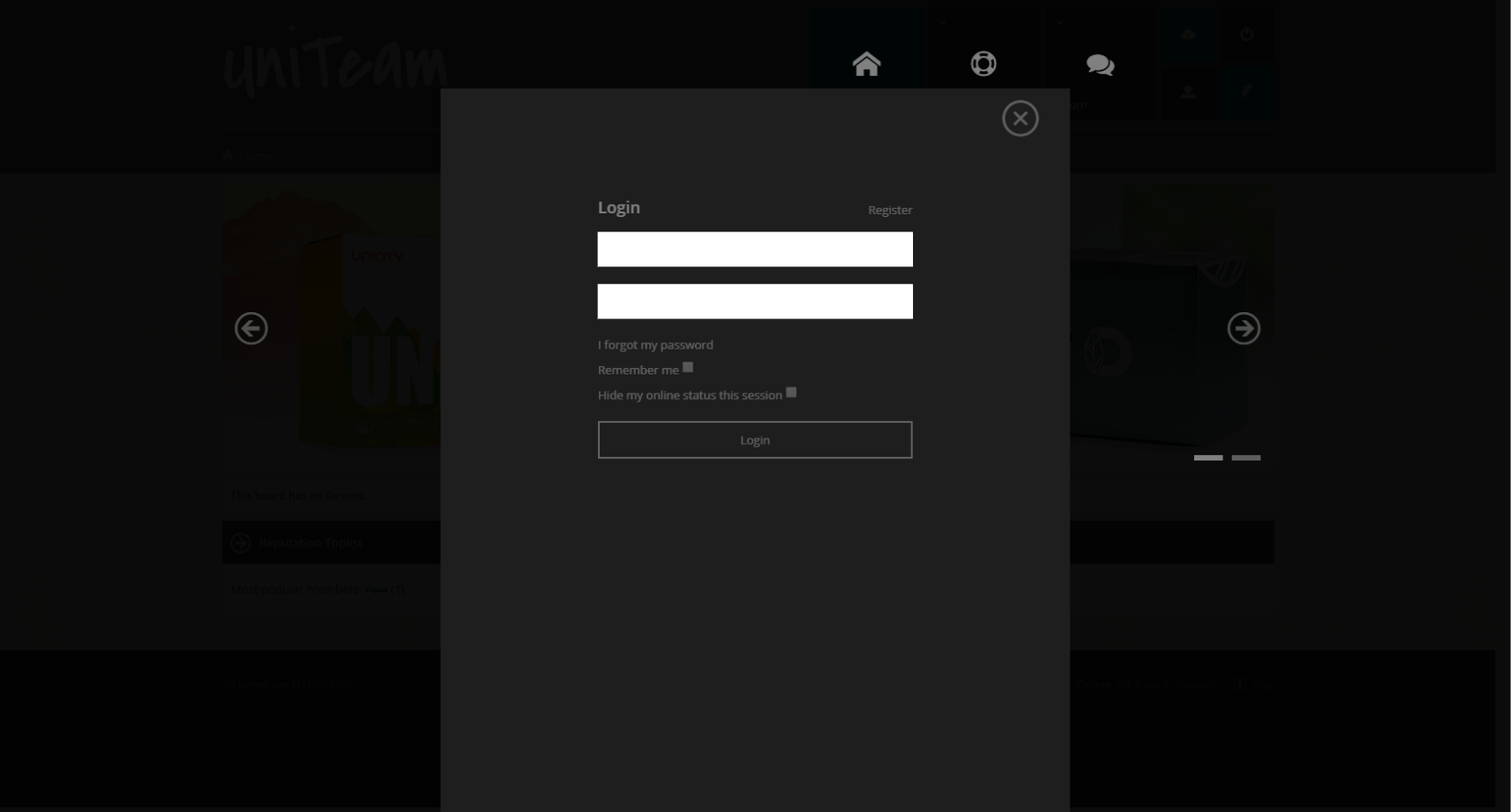
I tried the 3 ways .. with purging the caches from ftp and acp and browser
and i still have the same problem :wall:

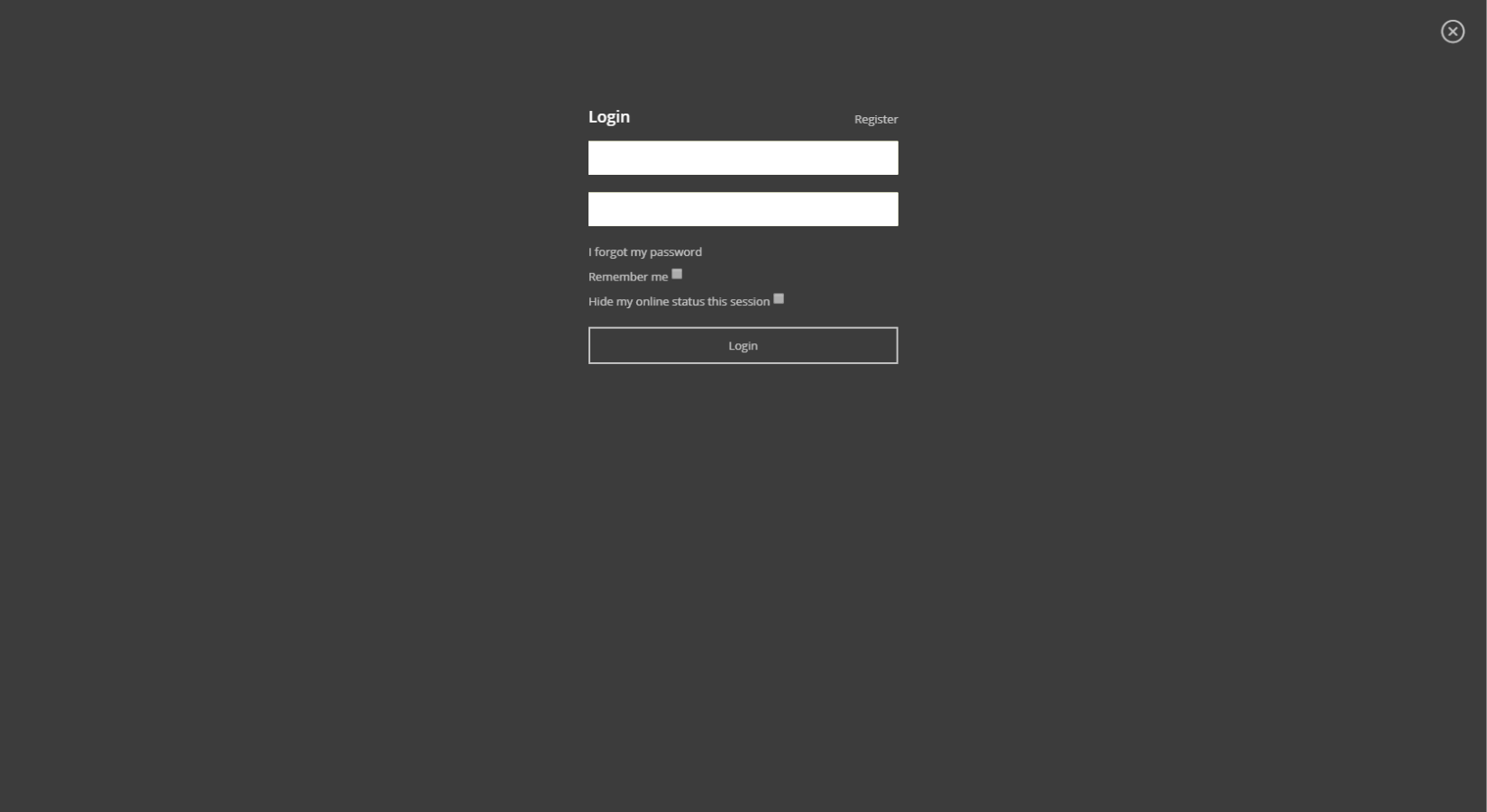
Image
the ajax login box stuck like that and i can't do anything

Image
this how it should be

my website is private but this website use the same style
you can check how login it's look like
http://forum.longboarditalia.com/

User avatar

Funny
New user
New user
Posts: 126
Joined: 06 Mar 2017, 16:39
    Windows 10 Chrome

Re: Image Upload

Post by Funny »

Hi Martin
Very nice menu

mg Funny :eyes2:

User avatar

Mohammed AlSarsawi
Users
Users
Posts: 24
Joined: 23 Feb 2017, 04:36
    Windows 10 Chrome

Re: Image Upload

Post by Mohammed AlSarsawi »

I just tried file upload ext. and delete the same file and it's work without any problem :wtf:
so i don't know what's the problem with img upload ext.

Post Reply Previous topicNext topic