
Scheduled Maintenance: 10-11-2025 Electricity company maintenance between 09:00 and 15:00.

3.2 & 3.3 Extensions Database 3.2 / 3.3Custom Header Logo

<span class="qte-attr qte_32_33-qte">3.2.x & 3.3.x</span>
[phpBB Debug] PHP Warning: in file [ROOT]/vendor/twig/twig/src/Template.php on line 359: Array to string conversion
Array

Topic Author
dmzx
Founder
Founder
Status: Offline
User theme: Dark
Posts: 6469
Joined: Jan 13th, '14, 20:45
    Windows 10 Chrome

Custom Header Logo

Post by dmzx »

Extension Name: Custom Header Logo
Author: dmzx

Extension Description:

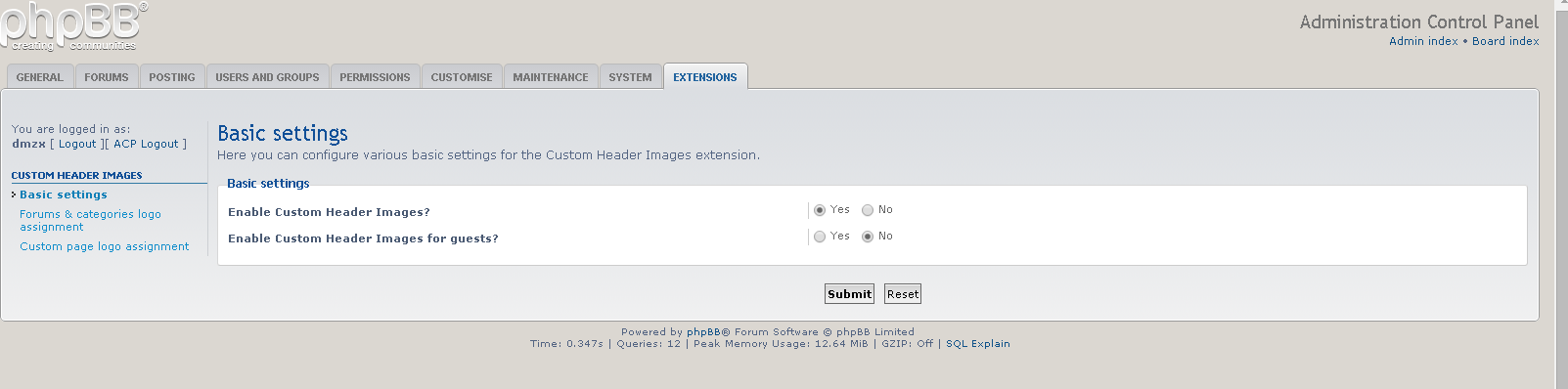
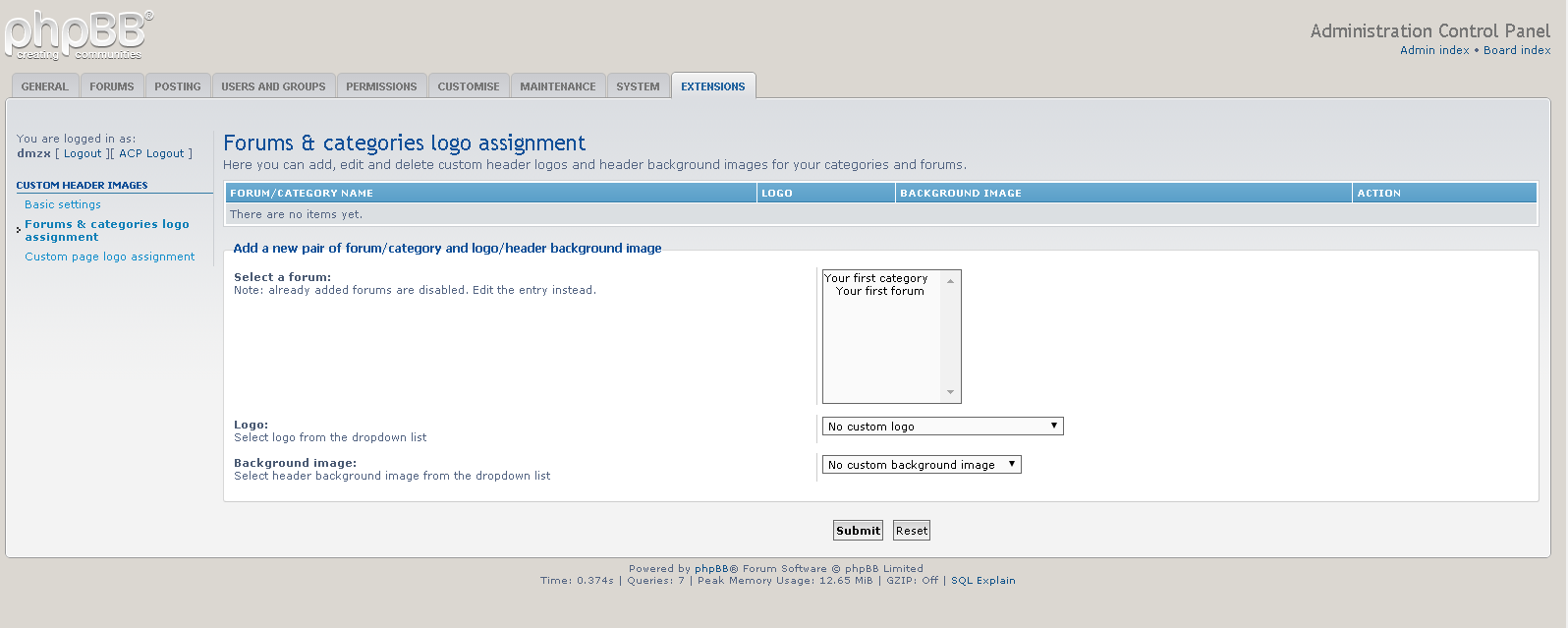
Custom Header Logo displays logos and background images in the header. This can changed for all forums and categories independently.
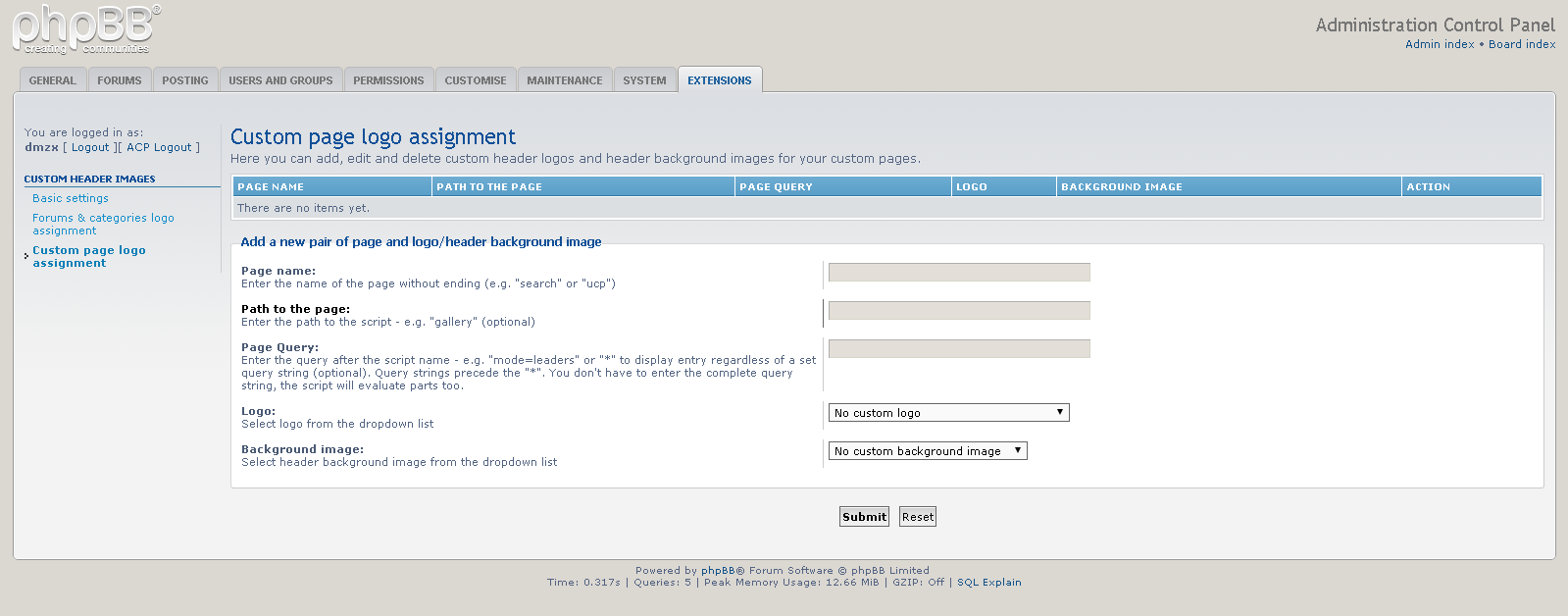
You can also add a logo and background images to all pages like search, memberlist or user control panel - even in subdirectories and pages with queries.

Note:
Path for logo images: images/chl_logos
Path for background: images/chl_backgrounds


- Add random video for header (index only), can exclude video.


- Update code for uploading images/video.
- Support of video in background logos.
- Various code updates, redo ACP style.
- Added option to switch off SITENAME and SITE_DESCRIPTION when logos are presented.


- Update code for 3.3.x.
- Add showpage name for admin.
- Change code for background image cover.
- Change code for site logo image responsive


- Updated to board_url
- Updated code to set width and height in acp.


- Twig update
- Load language update

Screenshots:

Image

Image

Image

Image

Image

Image

Extension Download:
Download-link
Custom Header Logo v1.0.5
Installation:
  1. Download the latest release.
  2. Unzip the downloaded release, and change the name of the folder to `chl`.
  3. In the `ext` directory of your phpBB board, create a new directory named `dmzx` (if it does not already exist).
  4. Copy the `chl` folder to `/ext/dmzx/` if done correctly, you'll have the main extension class at
    (your forum root)/ext/dmzx/chl/composer.json
  5. Navigate in the ACP to `Customise -> Manage extensions`
  6. Look for `Custom Header Logo` under the Disabled Extensions list, and click its `Enable` link.

[phpBB Debug] PHP Warning: in file [ROOT]/vendor/twig/twig/src/Template.php on line 359: Array to string conversion
Array

jan_2017
Users
Users
Status: Offline
User theme: Dark
Posts: 203
Joined: Feb 5th, '17, 09:21
    Android Chrome

Re: Custom Header Logo

Post by jan_2017 »

Thank you ! Very nice.

Good Job :buigen:

[phpBB Debug] PHP Warning: in file [ROOT]/vendor/twig/twig/src/Template.php on line 359: Array to string conversion
Array

boldherri
Users
Users
Status: Offline
User theme: Dark
Posts: 46
Joined: May 31st, '18, 13:28
    Windows 10 Firefox

Re: Custom Header Logo

Post by boldherri »

Hi, Meanwhile, thanks to dmzx for his commitment and work.

I installed the extension but i have two problems

The first problem is that on the forum's homepage i do not find the possibility to change the logo and it appears to me this way
Image

I ask, for the logo on the home page should i insert a fixed logo?

the second problem is that in the sections i chose the logo appears small

Image

Image

what does this depend on?
I've been looking for this extension for a long time, help me to solve it

[phpBB Debug] PHP Warning: in file [ROOT]/vendor/twig/twig/src/Template.php on line 359: Array to string conversion
Array

Topic Author
dmzx
Founder
Founder
Status: Offline
User theme: Dark
Posts: 6469
Joined: Jan 13th, '14, 20:45
    Windows 10 Chrome

Re: Custom Header Logo

Post by dmzx »

PM me link and admin test account to check it

[phpBB Debug] PHP Warning: in file [ROOT]/vendor/twig/twig/src/Template.php on line 359: Array to string conversion
Array

boldherri
Users
Users
Status: Offline
User theme: Dark
Posts: 46
Joined: May 31st, '18, 13:28
    Windows 10 Firefox

Re: Custom Header Logo

Post by boldherri »

Ok, thanks dmzx

[phpBB Debug] PHP Warning: in file [ROOT]/vendor/twig/twig/src/Template.php on line 359: Array to string conversion
Array

Topic Author
dmzx
Founder
Founder
Status: Offline
User theme: Dark
Posts: 6469
Joined: Jan 13th, '14, 20:45
    Windows 10 Chrome

Re: Custom Header Logo

Post by dmzx »

Ok look at the last page how I did it in ACP => Custom page logo assignment for index.

Looks like you use very big images and it will display weird.
Look at my size of images used here.

[phpBB Debug] PHP Warning: in file [ROOT]/vendor/twig/twig/src/Template.php on line 359: Array to string conversion
Array

boldherri
Users
Users
Status: Offline
User theme: Dark
Posts: 46
Joined: May 31st, '18, 13:28
    Windows 10 Firefox

Re: Custom Header Logo

Post by boldherri »

Dmzx, I had inserted the image 1250x200 now i have inserted the image 731x141

for home page ok, thanks

it is always the same by changing the size of the image

[phpBB Debug] PHP Warning: in file [ROOT]/vendor/twig/twig/src/Template.php on line 359: Array to string conversion
Array

mortalites
Users
Users
Status: Offline
User theme: Dark
Posts: 33
Joined: Aug 8th, '18, 15:04
    Windows 7 Firefox

Re: Custom Header Logo

Post by mortalites »

I just installed this extension and I am wondering if its compatible with the AcidTech theme and if it is not, but are my options to get this working. I just want a site wide Header Background/Logo. Any help would be appreciated.

Thanks,

[phpBB Debug] PHP Warning: in file [ROOT]/vendor/twig/twig/src/Template.php on line 359: Array to string conversion
Array

lopoto
Users
Users
Status: Offline
User theme: Dark
Posts: 73
Joined: Dec 28th, '14, 00:59
    Windows 10 Firefox

Re: Custom Header Logo

Post by lopoto »

boldherri wrote: Jun 8th, '18, 13:51 Hi, Meanwhile, thanks to dmzx for his commitment and work.

I installed the extension but i have two problems

The first problem is that on the forum's homepage i do not find the possibility to change the logo and it appears to me this way
Image

I ask, for the logo on the home page should i insert a fixed logo?

the second problem is that in the sections i chose the logo appears small

Image

Image

what does this depend on?
I've been looking for this extension for a long time, help me to solve it
I have exactly the same problem, photo is a miniature :sad:

[phpBB Debug] PHP Warning: in file [ROOT]/vendor/twig/twig/src/Template.php on line 359: Array to string conversion
Array

SnowBlind
Donator
Donator
Status: Offline
User theme: Dark
Posts: 32
Joined: May 3rd, '16, 01:29
    Windows 10 Firefox

Re: Custom Header Logo

Post by SnowBlind »

This is one of my favorite extensions. Excellent work.

I can get it to work on every page of my forum except FAQ with both a logo and background. And at this point I don't know what to do next.

I am running PHPBB 3.2.3. I have URL writing set to yes. My custom page logo assignments are attached. I have this problem whether I am using Pro Silver or Pro Silver SE. I have even gone as far as to clear the cache folder on my server through cPanel.

Can you offer me any suggestions?

Thanks!
custom_page_logo_assignment.jpg
You do not have the required permissions to view the files attached to this post! Maybe your post count is too low.

[phpBB Debug] PHP Warning: in file [ROOT]/vendor/twig/twig/src/Template.php on line 359: Array to string conversion
Array

mastnacek
Users
Users
Status: Offline
User theme: Dark
Posts: 8
Joined: Nov 4th, '18, 16:15
    Windows 7 Firefox

Re: Custom Header Logo

Post by mastnacek »

Great for categories and app, but what about index page???

[phpBB Debug] PHP Warning: in file [ROOT]/vendor/twig/twig/src/Template.php on line 359: Array to string conversion
Array

Fugu
Users
Users
Status: Offline
User theme: Dark
Posts: 5
Joined: Dec 25th, '14, 02:59
    Mac OS X Firefox

Re: Custom Header Logo

Post by Fugu »

Some requests....

Could you integrate the option to set an logo or background size and where to place it (left, center, right)?
I'm now using the Site Logo ext from David... with this ext you can't set logos/backgrounds to categories...

A mix of your both ext would be perfect!

And... Merry Christmas to ya all

[phpBB Debug] PHP Warning: in file [ROOT]/vendor/twig/twig/src/Template.php on line 359: Array to string conversion
Array

Topic Author
dmzx
Founder
Founder
Status: Offline
User theme: Dark
Posts: 6469
Joined: Jan 13th, '14, 20:45
    Windows 10 Chrome

Re: Custom Header Logo

Post by dmzx »

First post updated

[phpBB Debug] PHP Warning: in file [ROOT]/vendor/twig/twig/src/Template.php on line 359: Array to string conversion
Array

SnowBlind
Donator
Donator
Status: Offline
User theme: Dark
Posts: 32
Joined: May 3rd, '16, 01:29
    Windows 10 Firefox

Re: Custom Header Logo

Post by SnowBlind »

SnowBlind wrote: Oct 10th, '18, 21:16 This is one of my favorite extensions. Excellent work.

I can get it to work on every page of my forum except FAQ with both a logo and background. And at this point I don't know what to do next.

I am running PHPBB 3.2.3. I have URL writing set to yes. My custom page logo assignments are attached. I have this problem whether I am using Pro Silver or Pro Silver SE. I have even gone as far as to clear the cache folder on my server through cPanel.

Can you offer me any suggestions?

Thanks!
Problem solved: Downloaded CHL 3.2.x v1.0.1. Uninstalled ext, deleted all data (including image folders). Cleared cache folder on the server. Reinstalled ext and uploaded logo and header pic.Then setup CHL, all pages, and cleared the cache in ACP. Header and Logo are on "every" page now.

Not even sure why everything worked this time. :wtf:

Like I said, one of my favorite extensions. :tumbsyes:

[phpBB Debug] PHP Warning: in file [ROOT]/vendor/twig/twig/src/Template.php on line 359: Array to string conversion
Array

Topic Author
dmzx
Founder
Founder
Status: Offline
User theme: Dark
Posts: 6469
Joined: Jan 13th, '14, 20:45
    Windows 10 Chrome

Re: Custom Header Logo

Post by dmzx »

First post updated.

To set image for FAQ page use app/help/faq in Page name :wink: