<span class="qte-attr qte_31_32-qte">3.1.x & 3.2.x</span>
dmzx Online
Founder
Posts: 6549Joined: 12 years ago
Post
by dmzx 11 years ago
Extension Name: PM Notify & Guest Register bar
Author: Stoker extension by
dmzx
Extension Description:
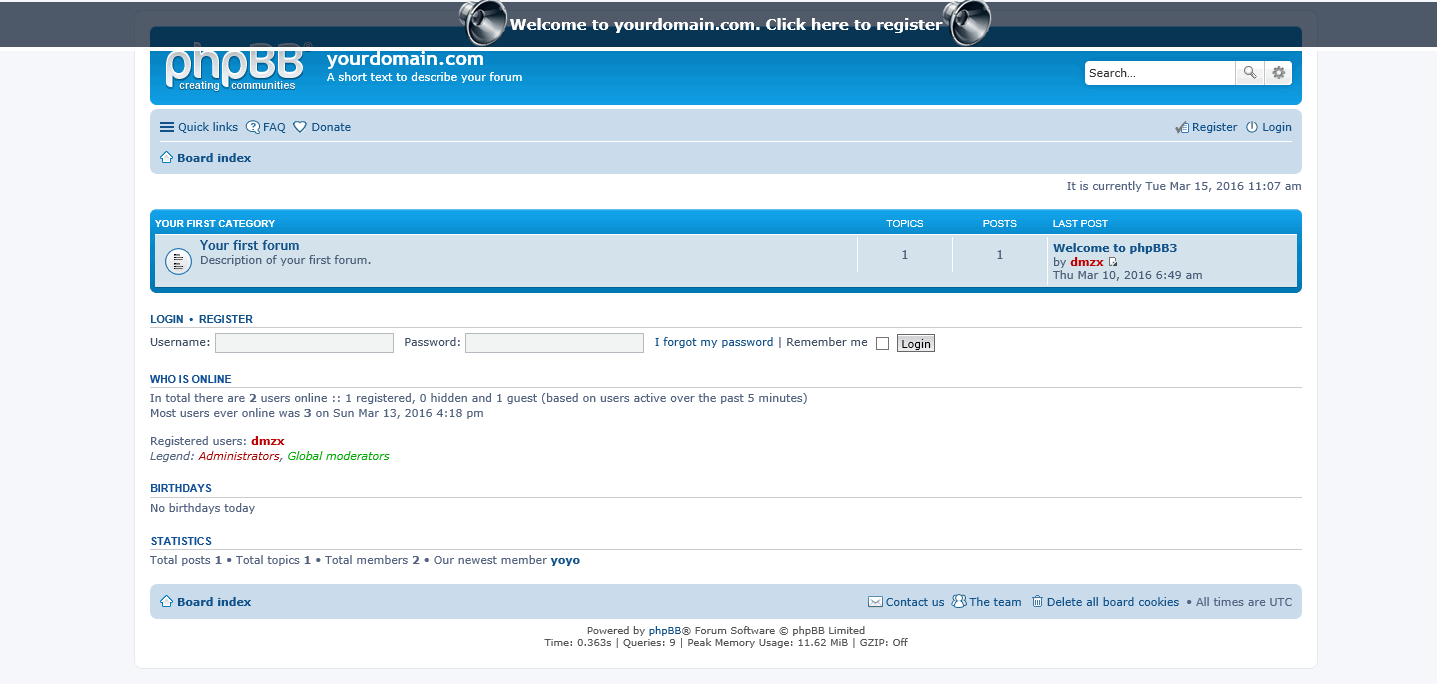
This extension will add PM Notify & Guest Register bar.
[travis]dmzx/pmregbar[/travis]
- Code update.
- Twig update.
Validation version
Code update
Code update
Screenshots: Extension Download: … Installation:
Download the latest release and Unzip the downloaded release.
Copy the dmzx/pmregbar folder to /ext/ (if done correctly, you'll have the main extension class at (your forum root)/ext/dmzx/pmregbar/composer.json) .
Navigate in the ACP to Customise -> Manage extensions
Look for PM Notify & Guest Register bar under the Disabled Extensions list, and click its Enable link.
Peralta
Donator
Posts: 191Joined: 11 years ago
Post
by Peralta 11 years ago
Thank you very much dmzx
..but are you sure it works in "all" styles
I speak spanish. Sorry for my bad english.
dmzx Online
Founder
Posts: 6549Joined: 12 years ago
Post
by dmzx 11 years ago
Jaantje
Users
Posts: 356Joined: 11 years ago
Post
by Jaantje 11 years ago
Dmzx, very nice job you have made. Thanx you.
Grreeetttttzzzzz, Jaantje
dmzx Online
Founder
Posts: 6549Joined: 12 years ago
Post
by dmzx 11 years ago
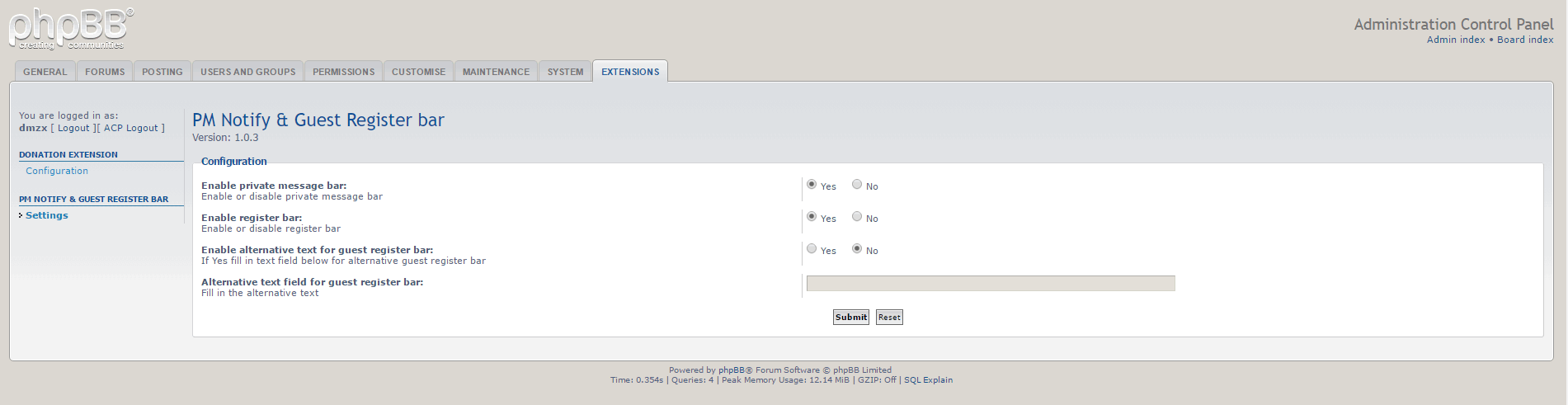
Version 1.0.1 added acp controls
dmzx Online
Founder
Posts: 6549Joined: 12 years ago
Post
by dmzx 11 years ago
Version 1.0.2 added alternative text field
martin
Admin
Posts: 5139Joined: 12 years ago
Post
by martin 11 years ago
I had this on 3.0.12 but left out the code for the reg part
Jaantje
Users
Posts: 356Joined: 11 years ago
Post
by Jaantje 11 years ago
dmzx when I switch on the private messages I get beamed into your extension no PM and no notification . If I use the private messaging beam blanker I 'll get a notification!!
martin
Admin
Posts: 5139Joined: 12 years ago
Post
by martin 11 years ago
Just incorporated this into my theme
Sniper_E
VIP
Posts: 1161Joined: 11 years ago
Post
by Sniper_E 11 years ago
martin wrote: I had this on 3.0.12 but left out the code for the reg part
That is why we have
dmzx take care of things around here.
No is NEVER an Option and NEVER is the only Option when it comes to Giving Up!™
Jaantje
Users
Posts: 356Joined: 11 years ago
Post
by Jaantje 11 years ago
Jaantje wrote: dmzx when I switch on the private messages I get beamed into your extension no PM and no notification . If I use the private messaging beam blanker I 'll get a notification!!
problem solved , wrong language file
dmzx Online
Founder
Posts: 6549Joined: 12 years ago
Post
by dmzx 11 years ago
Jaantje wrote: Jaantje wrote: dmzx when I switch on the private messages I get beamed into your extension no PM and no notification . If I use the private messaging beam blanker I 'll get a notification!!
problem solved , wrong language file
Jaantje
Users
Posts: 356Joined: 11 years ago
Post
by Jaantje 11 years ago
Please the Dutch translation
nl.zip
martin
Admin
Posts: 5139Joined: 12 years ago
Post
by martin 11 years ago
Send your self a pm on mine hahaha
7.png
You do not have the required permissions to view the files attached to this post! Maybe your post count is too low.
martin
Admin
Posts: 5139Joined: 12 years ago
Post
by martin 11 years ago
If you use the navbar ext then your need to play with the css for the reg/pm bar as shown in the video
video its mp4
css code
Code: Select all
/**
*
* @package PM Notify & Guest Register bar extension.
* @author dmzx (www.dmzx-web.net)
* @copyright (c) 2015 by dmzx (www.dmzx-web.net)
* @license http://opensource.org/licenses/gpl-license.php GNU Public License
*
*/

#info {
    overflow: visible;
	min-width: 750px;
    width: 100%;
    position: fixed;
    left: 0;
    z-index:200;
    margin-top: 6px;
    font-family: Verdana, Arial, Helvetica, sans-serif;
    font-size: 1.5em;
	font-weight: bold;
}

#infobar a, #infobar a:link, #infobar a:visited, #infobar a:active {
    display: block;
    float: left;
    width:100%;
    clear: both;
    color: #FFAF34;
    padding: .85em 0 .85em 0;
	text-align: center;
    text-decoration: none;
	background-position: bottom;
	background-repeat:repeat-x;
}

#infobar a:hover {
    color: #FFAF34;
	background-position: top;
	background-repeat:repeat-x;
	cursor: pointer;
}




 [travis]dmzx/pmregbar[/travis]