<span class="qte-attr qte_32_33-qte">3.2.x & 3.3.x</span>
dmzx
Founder
Posts: 6549Joined: 12 years ago
Post
by dmzx 5 years ago
Extension Name: Custom index page
Author: dmzx
Special thanks to: martin
Extension Description:
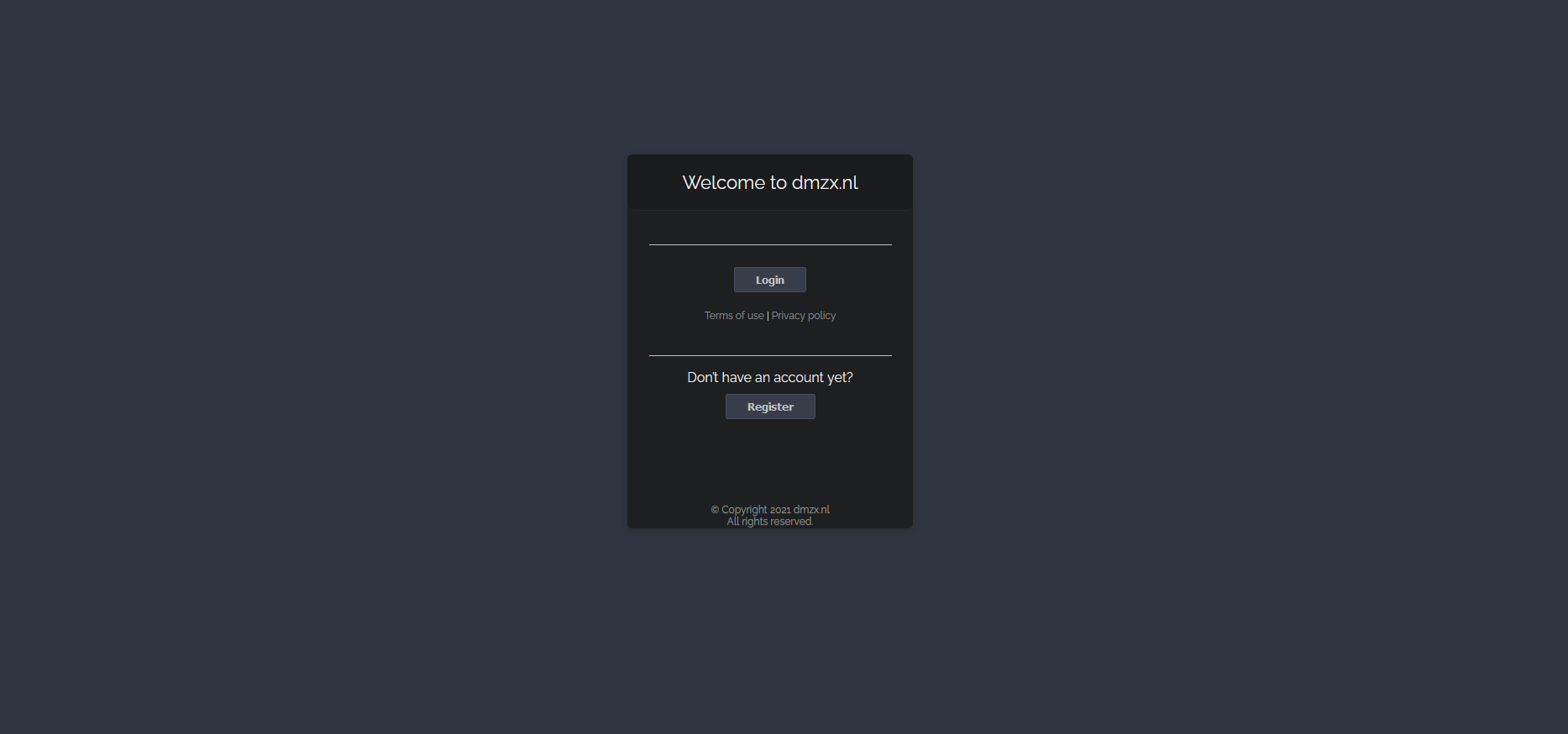
With Custom index page you can create a index page before showing your forum, all forum items are hided with this extension
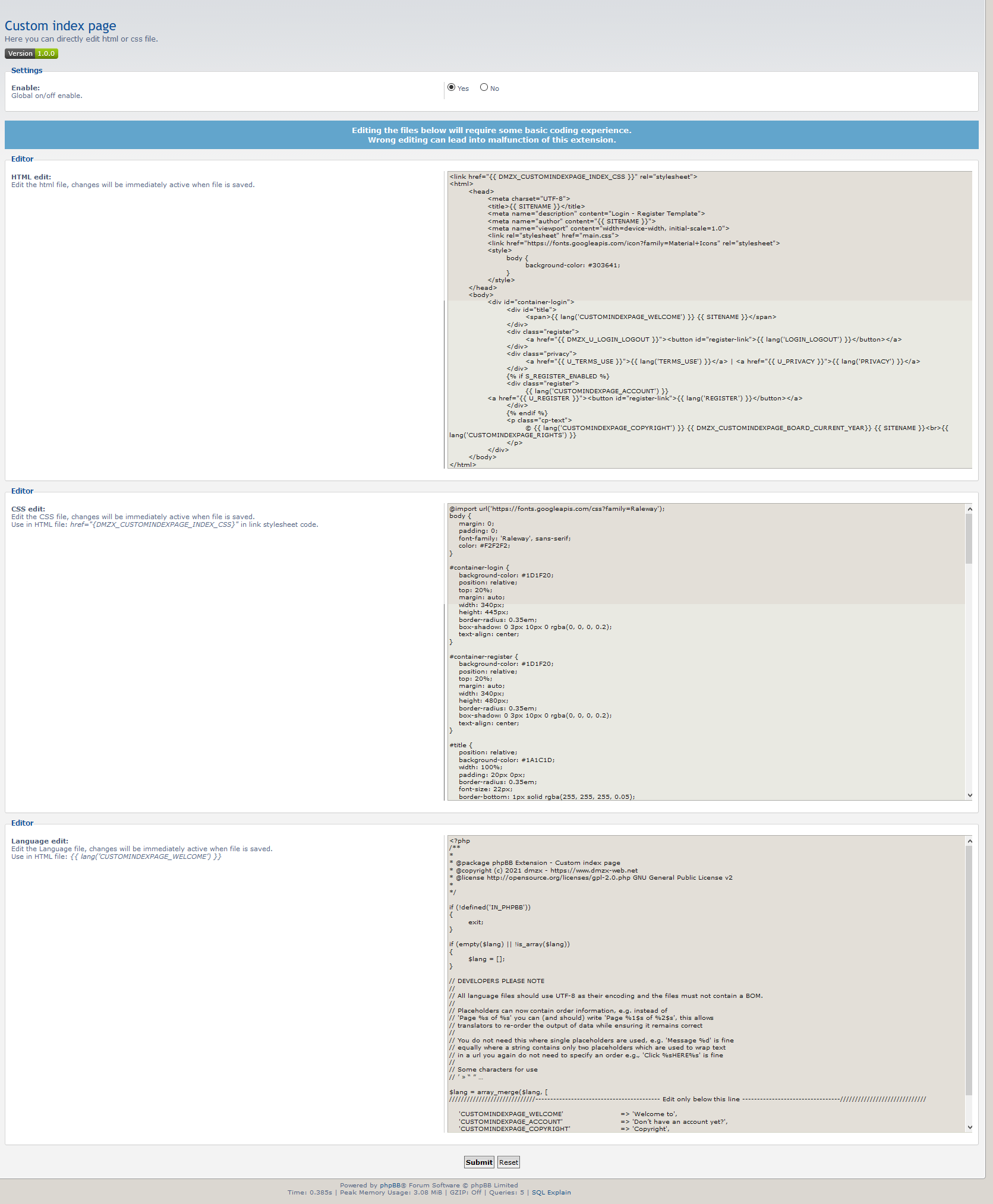
Basic knowledge of HTML, CSS and coding is needed to adjust and make a beautiful index page.
[travis]../..[/travis]
Screenshots: Extension Download: … Installation:
Download the latest release.
Unzip the downloaded release, and change the name of the folder to `customindexpage `.
In the `ext ` directory of your phpBB board, create a new directory named `dmzx ` (if it does not already exist).
Copy the `customindexpage ` folder to `/ext/dmzx/ ` if done correctly, you'll have the main extension class at (your forum root)/ext/dmzx/customindexpage/composer.json
Navigate in the ACP to `Customise -> Manage extensions`
Look for `Custom index page ` under the Disabled Extensions list, and click its `Enable ` link.
dmzx
Founder
Posts: 6549Joined: 12 years ago
Post
by dmzx 5 years ago
Taken for explain.
clight77
Donator
Posts: 508Joined: 11 years ago
Post
by clight77 5 years ago
Hi
dmzx
Founder
Posts: 6549Joined: 12 years ago
Post
by dmzx 5 years ago
clight77 wrote: 5 years ago
Hi
Don't quite understand how or where to change yourdomain.com {{SITENAME}} to my name ?
Thanks
no {{ SITENAME }} is default in phpbb for your boardname.
out of the box it will take all, just install it and logout to check it.
clight77
Donator
Posts: 508Joined: 11 years ago
Post
by clight77 5 years ago
Hmmm thought that, but on my test site it just says yourdomain.com.
dmzx
Founder
Posts: 6549Joined: 12 years ago
Post
by dmzx 5 years ago
Yes sitename is default (clean installation) yourdomain.
clight77
Donator
Posts: 508Joined: 11 years ago
Post
by clight77 5 years ago
Found it in ACP/General/Board Settings, I never use that setting. DUH...
dmzx
Founder
Posts: 6549Joined: 12 years ago
Post
by dmzx 5 years ago
clight77 wrote: 5 years ago
Found it in ACP/General/Board Settings, I never use that setting. DUH...
It must be working out of the box, but if you want to wait np
your site give me the idea but you already know it
Like it here and will leave it installed.
clight77
Donator
Posts: 508Joined: 11 years ago
Post
by clight77 5 years ago
Yep works good after putting my site name in ACP, I never use that.
dmzx
Founder
Posts: 6549Joined: 12 years ago
Post
by dmzx 5 years ago
clight77 wrote: 5 years ago
Yep works good after putting my site name in ACP, I never use that.
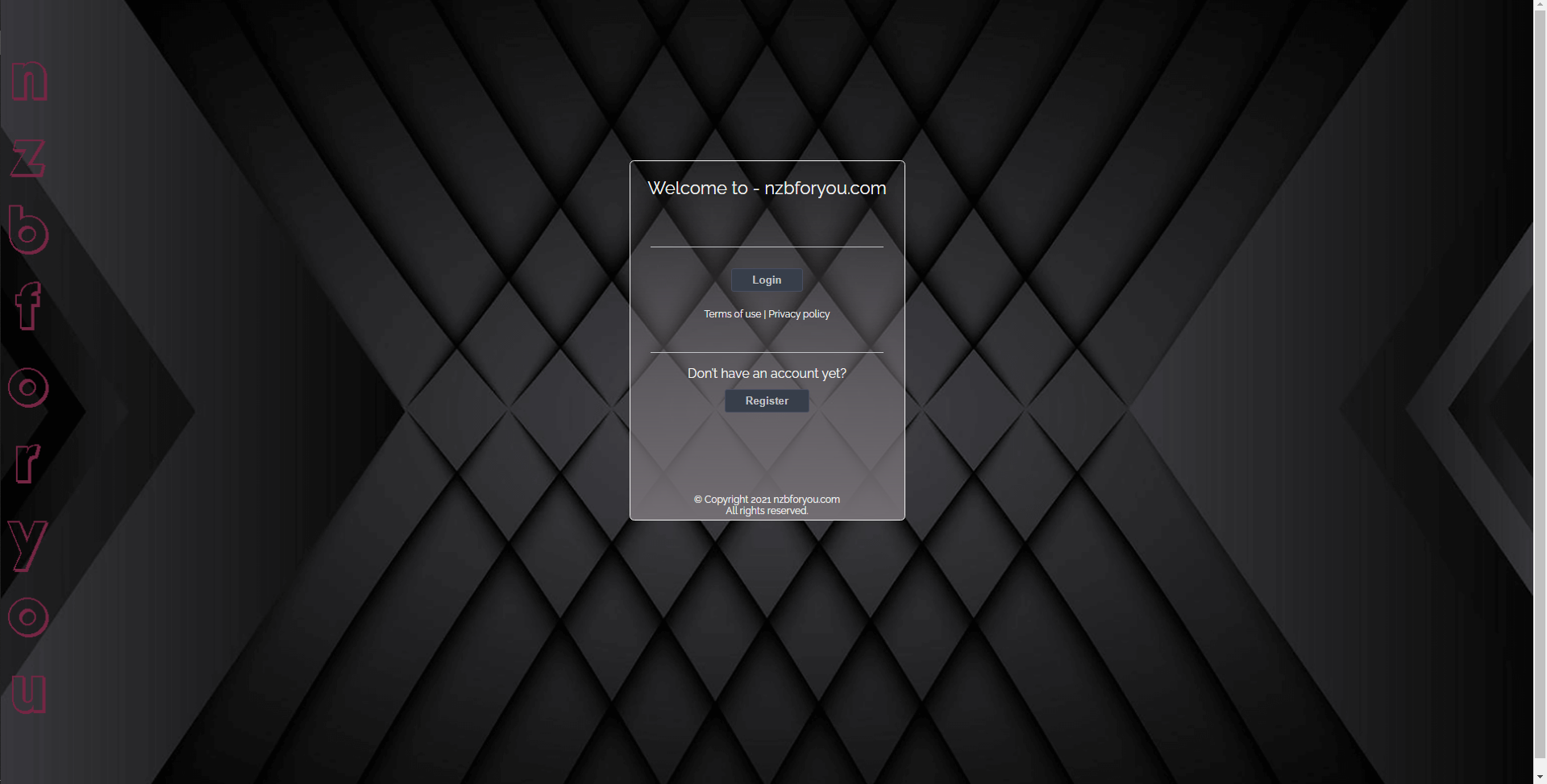
Just now looking at changing main background color to my site image :)
look into the css part in acp of the extension.
look for body part and change it to:
Code: Select all
     body {
  background: #2D3142;
  font-family: 'Raleway', sans-serif;
  background-image: url(/to_image);
  height: 100%;
  background-repeat: no-repeat;
  background-size: cover;
}
change /to_image above to your url of the image.
clight77
Donator
Posts: 508Joined: 11 years ago
Post
by clight77 5 years ago
Will do, need a coffee and walk the muttonhead :)
clight77
Donator
Posts: 508Joined: 11 years ago
Post
by clight77 5 years ago
This worked good.
Just have to add it to magic so it works for both light and dark :)
Thanks
Code: Select all
     body {
  color: #F2F2F2;
  font-family: 'Raleway', sans-serif;
  background-image: url(/images/cssmagic_images/black_stripe4.png);
  height: 100%;
  background-repeat: no-repeat;
  background-size: cover;
}
martin
Admin
Posts: 5139Joined: 12 years ago
Post
by martin 5 years ago
Back it up as i just fixed a small bug/style issue
Anders
Users
Posts: 80Joined: 11 years ago
Post
by Anders 5 years ago
Goodmorning got my site up again some work lol and did see your custom index and did test it and i get thisSOLVED




 [travis]../..[/travis]